
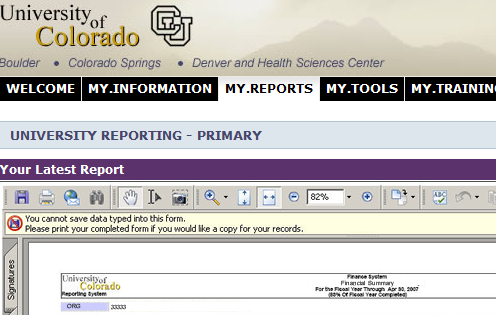
You'll see a variation of three main University Reporting sections (channels), depending on your roles. Assuming you hold at least one fiscal role at the ORG level, the first (Primary) channel will hold a single "Financial Summary Report", summarizing activity at the level of your highest fiscal role. If you do not hold a role at the org level, you will most likely see a "Revenue and Expense Statement Summary" for one of your speedtypes:
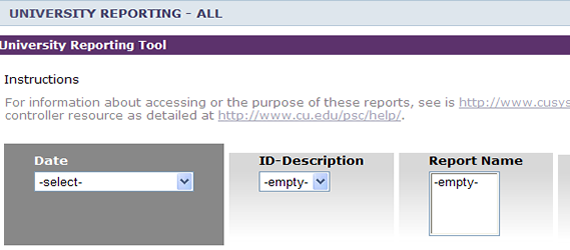
If you receive burst reports, in the "all" channel, you'll see some selection boxes that appear to be empty:
Select the desired parameters, press the "View Reports" button, and you will be able to view your reports:
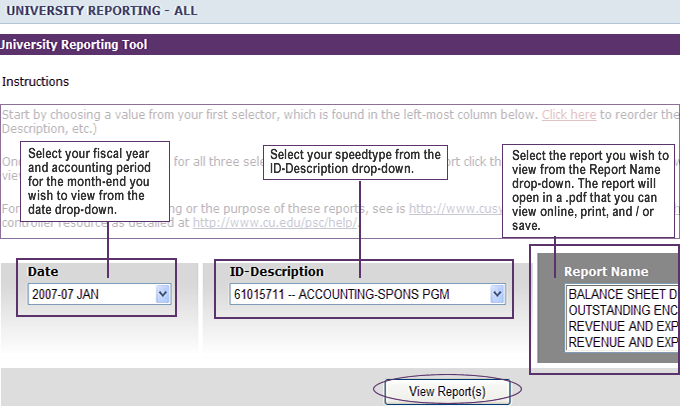
The burst reports are month-end reports - just like the paper month-end reports that have been distributed via campus mail each month until recently. Eventually, 13 months of month-end reports, plus fiscal year-end reports will be available in the portal.

